A Portable SSD (Solid State Drive) is a high-performance storage device that connects to computers, consoles, and mobile gadgets via USB or Thunderbolt interfaces. Unlike traditional mechanical hard drives that rely on spinning magnetic platters, portable SSDs use flash memory technology. This makes them significantly faster, lighter, and far more durable. You don’t have to worry about a clumsy drop instantly destroying your data, nor do you have to wait forever for files to transfer.
From streaming massive video projects to expanding a massive game library, the utility of a Portable SSD is practically endless. This guide breaks down why these devices are the unsung heroes of the digital age and how to get the most out of them.
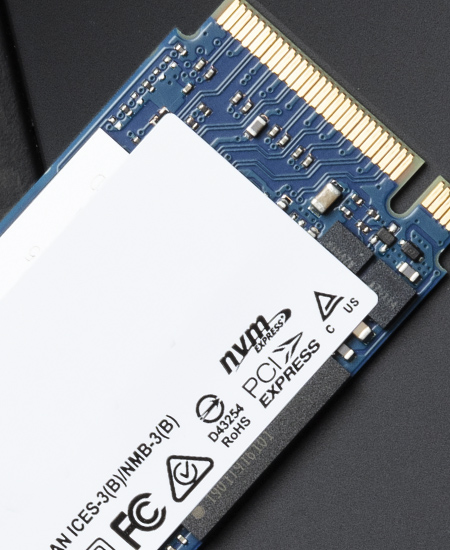
The Key Advantages of Going Solid State
If you have ever stared endlessly at a progress bar or lugged around a brick-sized external hard drive, switching to an SSD will feel like a breath of fresh air.
The Speed Revolution: We aren't exaggerating when we say the speed difference is game-changing. Modern portable drives leave old-school HDDs in the dust. However, for professionals who need to push the absolute limits—such as video editors handling 8K footage—standard off-the-shelf portable drives might still hit a performance ceiling. This is where building your own solution with a high-end SSD Enclosure becomes the ultimate hack. For example, utilizing a device like the PURPLELEC TX009 Thunderbolt 5 SSD Enclosure allows you to tap into blistering bandwidths of up to 80Gbps. When paired with a top-tier NVMe drive, this setup rivals internal storage speeds, ensuring your workflow never stutters.
Built for the Road: Without delicate moving parts inside, a Portable SSD can withstand the bumps and knocks of a daily commute. You can toss your entire digital office or game collection into a backpack without fear.
Plug-and-Play Simplicity: These devices are designed for cross-platform compatibility. Whether you are moving files between a Windows desktop, a MacBook, or even a tablet, it usually works instantly without the need for complex driver installations.
The Gamer’s Secret Weapon
With modern game installations frequently exceeding 100GB, internal storage fills up fast. A Portable SSD is the gamer's best friend for managing a growing library.
PC Gamers: You can install and run games directly from the external drive. This not only frees up your boot drive but also lets you take your library to a friend’s house or an internet café—just plug in and play.
Console Gamers: For next-gen consoles (like the PS5 or Xbox Series X), external drives serve a specific purpose. While you often cannot play the newest exclusive titles directly from an external USB drive, you can use the SSD as "Cold Storage." It is much faster to move a game from the external drive back to the console's internal storage than it is to re-download it. Furthermore, older-generation games (backward compatible titles) can usually run directly off the Portable SSD with zero issues.
Boosting Productivity: Business and Crea-tive Work
Beyond gaming, these drives are versatile tools that enhance efficiency in professional settings.
Video Editing Workflows: High-resolution video files are storage hogs. With a fast Portable SSD, editors can scrub through timelines, color grade, and render directly on the drive without transferring footage to the computer first. If you are using a high-spec SSD Enclosure like the aforementioned Thunderbolt 5 model, the experience is virtually indistinguishable from working on a local internal drive.
On-Site Backup for Photographers: For photographers shooting in the field, data redundancy is critical. A rugged SSD allows for rapid backups of RAW files from a laptop or even directly from a camera (if supported), ensuring the day's shoot is safe before you even pack up.
Organizing Media Libraries: Instead of cluttering your laptop, use an external drive as a dedicated media center. organizing photos, movies, and music by year or project keeps your main machine running smoothly while keeping your archives accessible.
Can You Run Apps from an External Drive?
Absolutely. For freelancers or those who jump between workstations, installing "portable" versions of applications onto a Portable SSD creates a mobile workspace. While software that relies heavily on deep operating system integration (like complex system tools) is best kept on the main drive, most standalone crea-tive tools and utilities run perfectly fine from external storage.
Security: Protecting Sensitive Data
Because these drives are so portable, physical security is just as important as digital security. If you are carrying sensitive business documents or private personal data, encryption is key. Many drives come with software encryption options, but for the highest security, look for drives or software that support AES 256-bit encryption. This ensures that even if the drive falls into the wrong hands, the data inside remains an indecipherable lockbox.
Final Thoughts
Whether you are a content creator looking to speed up your workflow, a gamer needing space for the latest patch, or a business traveler carrying vital documents, a Portable SSD is an essential investment. It breaks the physical limits of your device's storage, letting your data move as fast as you do. And for those seeking the bleeding edge of speed, combining a quality NVMe drive with a next-gen SSD Enclosure is the way of the future.











