Running out of computer ports is a universal headache for the modern office. When faced with the endless variety of USB Hubs on the market, many people instinctively think "the more ports, the better." But is that actually true?
Choosing the wrong product is not just a waste of money; it can lead to hard drive damage or data throttling due to insufficient power supply. From a practical perspective, we will show you how to select a stable, high-speed USB Hub based on your actual needs to double your efficiency through the right peripherals.
I. How Many Ports Do Standard USB Hubs Have?
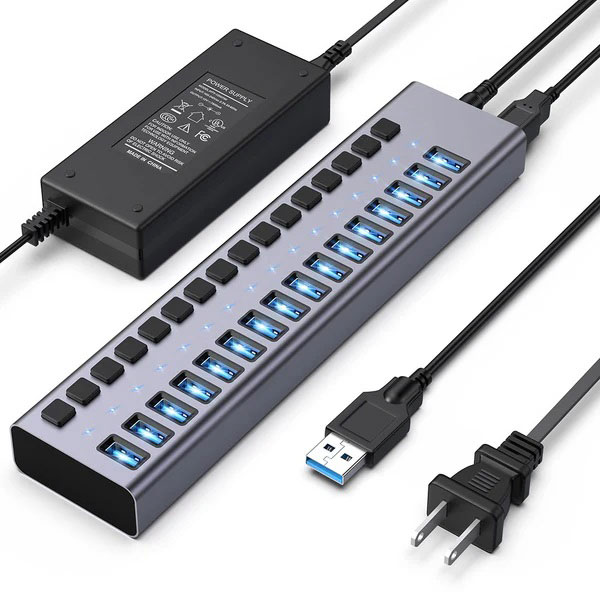
The core role of a USB Hub is interface expansion, but the number of ports directly determines its size and application scenario.
- Basic Models (3-7 ports): This is the mainstream configuration. It usually contains several USB-A ports, sufficient for connecting mice, keyboards, flash drives, or mobile hard drives.
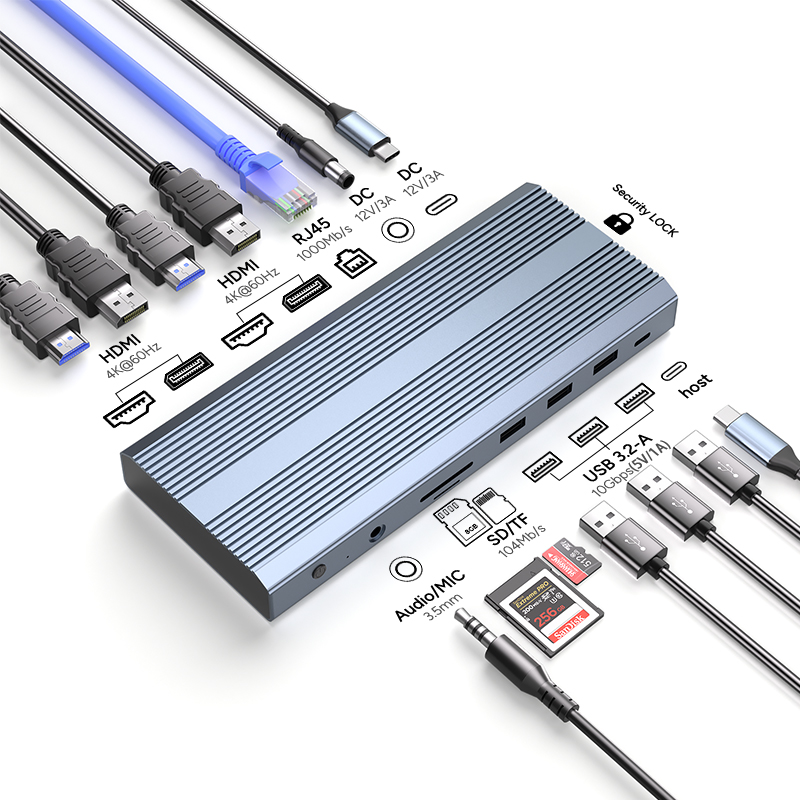
- Advanced/Professional Models (8-12+ ports): These are often called "Docking Stations." In addition to basic USB ports, they integrate HDMI video output, Gigabit Ethernet (LAN), SD/TF card slots, and even support PD fast charging.
Pro Tip: More ports are not always better. Unused ports increase device bulk and can affect transmission stability due to internal chip shunting mechanisms.
II. How to Match Port Count to Your Specific Needs
To save you from decision fatigue, we have broken down requirements into three levels:
1. Light Office & Students: 3-4 Ports If you only need to connect a wireless mouse receiver and occasionally plug in a flash drive, a compact 3-4 port USB Hub is the best choice.
- Advantages: Extremely portable, saves desk space, and is budget-friendly.
- Recommendation: Stick to the USB 3.0 standard to ensure you aren't waiting on file transfers.
2. Programmers & Content Creators: 5-7 Ports For users who need to connect a mechanical keyboard, mouse, and printer simultaneously while also reading SD cards, a mid-range 5-7 port hub is the "sweet spot."
- Advantages: Balances size and scalability. These usually feature independent power ports to drive large-capacity mechanical hard drives more stably.
3. Geeks, Designers & Streamers: 8-12+ Ports If you need to connect 4K monitors, maintain high-speed wired internet, provide PD charging for your laptop, and hang multiple peripherals, go straight for an 8-12 port multi-functional docking station.
- Advantages: A one-stop solution for connectivity anxiety—essentially a miniature workstation.
III. 4 Critical Metrics More Important Than Port Count
While looking at "how many ports," PURPLELEC reminds you to pay attention to these technical parameters that define the user experience:
- Transmission Protocols: Avoid outdated USB 2.0! Always choose products supporting USB 3.0 or USB 3.1 (10Gbps) for speeds ten times faster.
- Power Delivery is Key: Interfaces are useless without enough power. If you frequently connect mobile hard drives, choose a model with an independent power input to prevent drive disconnection.
- Compatibility Check: Ensure the hub is "Plug and Play" for Windows, macOS, and Android without requiring tedious drivers.
- Brand and Build Quality: Cheap hubs can overheat, leading to chip throttling. Choose brands with guaranteed quality like Ugreen, Anker, or PURPLELEC for peace of mind.
IV. Where to Find Enterprise-Grade USB Hubs?
Whether you are upgrading individual gear or seeking bulk enterprise procurement, PURPLELEC is your trusted choice for high-performance peripherals.
As a brand deeply rooted in the peripheral industry, PURPLELEC provides strictly inspected, authentic hardware and understands the specific pain points of B2B customers:
- Vetted Supply Chain: We leverage top-tier resources to ensure every USB Hub is an original, high-quality product.
- Exclusive B2B Services: For foreign trade, wholesale, and corporate clients, we offer highly competitive tiered pricing and bulk shipping.
- Professional Technical Advisors: Not sure which product fits your project? Our technical team provides one-on-one selection advice.
- Worry-Free After-Sales: We offer transparent warranty policies and rapid-response support.
Conclusion
When choosing a USB Hub, the best fit is better than the most ports. Proper port planning keeps your desk organized and your productivity high. For high-quality, cost-effective, and hassle-free procurement, contact PURPLELEC today to find your perfect connection solution!