Introduction: Reshaping the Peripheral Hub Amidst the Bandwidth Revolution
With the ubiquity of remote collaboration and high-load workflows, the Thunderbolt 5 Dock is emerging as the central hub connecting high-performance terminals to complex peripheral ecosystems. As the latest generation of the Intel connectivity standard, Thunderbolt 5 is not merely a version number iteration; its leap in technical architecture has fundamentally redefined the performance ceiling of professional Docking Stations. For professionals in video post-production, 3D modeling, and data science, understanding this technical transformation is a prerequisite for building efficient workflows.
I. Technical Cornerstone: Core Advantages of Thunderbolt 5

Before purchasing, one must clarify the technical barriers of the Thunderbolt 5 Dock compared to its predecessors (Thunderbolt 4/USB4):
Bandwidth Throughput Transformation: It provides 80Gbps bidirectional bandwidth in standard mode. When "Bandwidth Boost" is enabled, downstream speed can soar to 120Gbps, three times that of Thunderbolt 4.
Display Output Capability: Native support for multi-screen high-resolution output, including dual 8K@60Hz or triple 4K@144Hz monitors, fully unleashing the potential of high-refresh-rate displays.
Power System Reshaping: Supports up to 240W PD charging, sufficient to cover the power consumption requirements of mobile workstations and high-performance gaming laptops.
Backward Compatibility: Comprehensive support for Thunderbolt 3/4 and USB4 protocols, ensuring the usability of le-gacy devices on the new Thunderbolt Dock.
II. Expert Selection Dimensions: Four Core Indicators
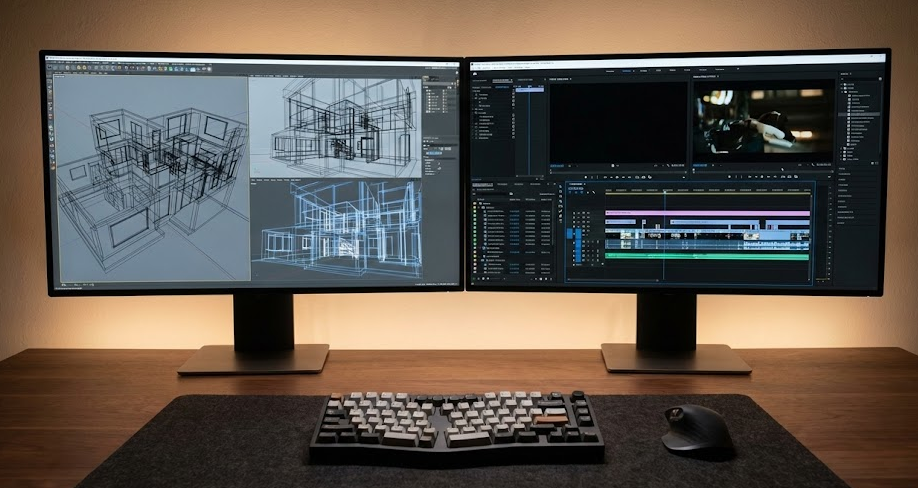
Selecting a high-performance Docking Station is not simply about comparing port counts; it requires a deep assessment across four technical dimensions:
1. Host and System Compatibility Hardware matching is the primary threshold. Although Thunderbolt 5 Docks feature backward compatibility, activating the 120Gbps peak bandwidth requires the host to be equipped with a native Thunderbolt 5 interface.
- System Level: Verify the manufacturer's driver support for Windows, macOS, and Linux.
- Chip Architecture: Apple Silicon (M-series chip) users must pay special attention, as some advanced functions based on Intel native features may have invocation limitations under the ARM architecture.
2. Port Hierarchy and Bandwidth Allocation Superior dock design lies in intelligent bandwidth allocation, not just port stacking:
- Video Interfaces: Prioritize models equipped with HDMI 2.1 or DisplayPort 2.1 to match high-spec monitors.
- Data Throughput: Focus on the ratio of USB-A to USB-C ports, and whether there are high-speed slots supported by PCIe lanes.
- Dedicated Network: For users with frequent intranet transmission, models featuring standard 2.5GbE or 10GbE Ethernet ports are essential.
- Reserved Redundancy: It is recommended to configure interfaces at 20% above current needs to accommodate future peripheral growth.
3. Power Logic and Thermal Management High bandwidth inevitably accompanies high power consumption, making the Thunderbolt 5 Dock's power management system crucial:
- Dynamic Power Allocation: Confirm whether the dock can still provide stable 90W-140W charging power to the laptop when fully loaded with peripherals; some high-end models even need to support full 240W output.
- Passive Cooling Design: Aluminum alloy bodies are superior to plastic; good passive cooling effectively prevents performance degradation caused by "Thermal Throttling" during long-term high-load operation.
4. Industrial Design and Space Efficiency Select the form factor based on desktop layout. Vertical designs optimize space usage, while horizontal designs usually provide a better port plugging experience. Models supporting VESA mounting standards can hide the device behind the monitor, achieving zero desktop footprint.
III. Market Pitfall Guide: Avoiding Hidden Costs
Even experienced users often overlook the following critical details when selecting a Thunderbolt Dock:
- Cable Trap: Thunderbolt 5 must be used with certified Active Cables. Using substandard passive cables will cause bandwidth to automatically downgrade to USB 3.0 levels.
- Firmware Maintenance: Prefer top-tier brands that provide long-term firmware updates. Timely firmware upgrades are the only way to resolve bugs such as handshake failures with new devices or sleep/wake anomalies.
- Hidden Thermal Costs: High-performance workflows generate significant heat; defects in thermal design can lead to data transmission interruptions or shortened hardware lifespan. Do not choose models with compromised cooling due to low prices.
- Total Cost of Ownership (TCO): The high failure rate and low residual value of cheap, off-brand docks actually increase long-term holding costs.
Conclusion: Future-Proof Productivity Investment
The Thunderbolt 5 Dock is not just an interface expansion tool but the connectivity cornerstone of the desktop ecosystem for the next five years. It is recommended that professional users reserve a 15%-20% premium space in their budget planning to purchase top-tier products with better thermal modules, longer warranty cycles, and modular designs. As Thunderbolt 5 terminal devices see explosive growth in 2025, precise investment now will ensure that workflows maintain industry-leading connectivity efficiency for years to come.









