A gaming monitor with an integrated USB hub is not a mandatory component—it ultimately depends on your individual usage needs and computer setup. The built-in hub function of such a monitor can help reduce cable clutter on your desk and add convenience to daily operations. It may be more suitable for connecting low-power peripherals like webcams or game controllers. For professional gamers, the data transfer speed or power output of the monitor's hub may sometimes fall short of supporting high-performance peripherals. In such cases, connecting devices directly to the computer may offer better stability and cable management.
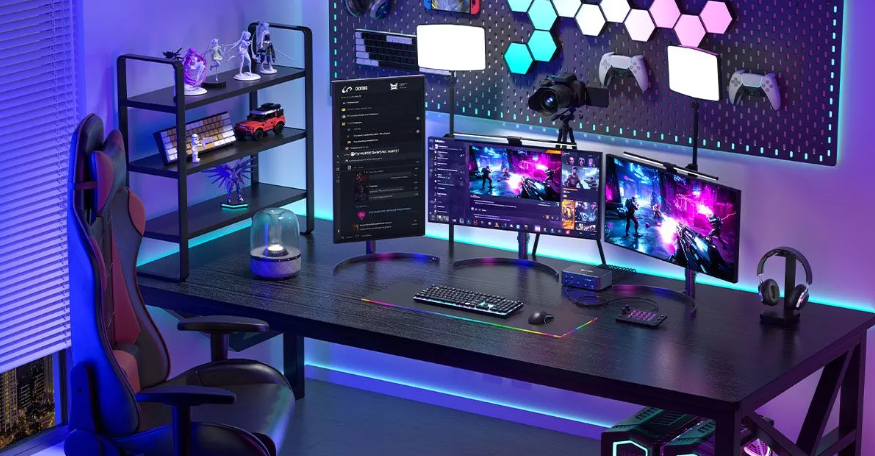
Ideal Use Cases for an Integrated USB Hub
Convenient Access: Easily connect accessories such as headphones, webcams, or a charging smartphone without frequently reaching for the computer case.
Neat Workspace: By centralizing connections for multiple devices, it effectively helps maintain an organized work area.
Laptop Expansion: Using a single USB-C cable, you can connect your laptop to both the monitor and multiple peripherals simultaneously, simplifying setups for mobile work or entertainment.
Potential Limitations of an Integrated USB Hub
Performance Constraints: The USB ports on the monitor may adopt older standards (such as USB 2.0 compared to USB 3.0+) or exhibit poor stability, which can impact the performance of demanding peripherals.
Wireless Interference: If the hub is positioned behind the monitor, it may obstruct wireless signals, leading to input lag or connectivity issues with keyboards and mice.
Connection Preference: Some users prefer connecting peripherals directly to the computer to avoid running extra cables to the monitor.
Cost Consideration: Monitors with integrated hubs are generally more expensive than basic models.
Power Supply: Hubs with low power output or no independent power source may not provide sufficient electricity for high-power consumption devices.

Alternative Solutions
Externally Powered USB Hub: This standalone device can offer faster data transfer speeds and stronger power support for high-performance peripherals.
Direct Computer Connection: Connecting important peripherals to the motherboard ports typically ensures more reliable performance and higher speeds.
Summary Recommendations
When deciding whether to use an integrated USB hub, it’s important to balance convenience, performance, and cost. For everyday office tasks or casual use, a monitor with a built-in hub offers a practical solution. In high-performance gaming scenarios, an externally powered docking station may better meet your needs.









