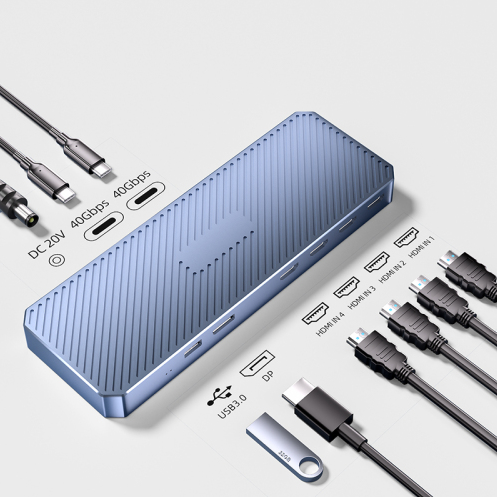
When shopping for a monitor for your gaming laptop, sales might recommend models with DisplayPort; while seeking multi-screen expansion for your ultrabook, customer service may hand you a DisplayLink dock. With just "Link" separating their names, what essential differences lie beneath? First, the key takeaway: DisplayPort is a hardware-protocol-level physical interface standard, while DisplayLink is a software-driver-level video transmission technology—the former is a "dedicated highway," the latter an "intelligent dispatch system."
Dedicated Highway: DisplayPort’s Hardcore Edge
DisplayPort acts like a purpose-built highway for video signals. It directly outputs native digital signals from the GPU, bypassing compression, and boasts high bandwidth—mainstream DP 1.4 supports 32.4Gbps, handling 4K 144Hz or even 8K 60Hz with ease. Crucially, it supports adaptive sync (like G-Sync/FreeSync), dynamically matching GPU and display refresh rates to eliminate screen tearing. Its plug-and-play nature makes it irreplaceable in pro design, high-refresh gaming, and other performance-critical scenarios.
Intelligent Dispatch System: DisplayLink’s Flexible Magic
DisplayLink functions like an intelligent traffic control system. It transmits video over USB buses rather than dedicated hardware. The workflow involves compressing video on the host, sending it via USB, then decompressing it at the receiver—a process requiring dedicated drivers. While this introduces latency (~10-20ms), it enables "one-dock-multi-screen" flexibility: a single USB-C cable can expand to three 4K displays or connect to legacy VGA projectors, making it a "Swiss Army knife" for mobile work and multi-display collaboration.
Scenario-Based Difference: When to Choose Highway vs. Dispatch
Gamers and pros take note: DisplayPort is your "highway." It drives displays directly with zero-compression latency, supports high-refresh sync, and ensures pixel-perfect frame delivery. DisplayLink, while capable of high resolutions, introduces compression-induced delays that may impact precision in fast-paced eSports.
For ultrabook users or mobile workers, DisplayLink shines. Need to connect three external screens to a 13-inch laptop for coding? Or use a USB-C adapter to project to a conference room projector? DisplayLink leverages software drivers to "borrow" USB bandwidth for video, requiring no extra GPU ports—solving expansion pain points flexibly.
Core Comparison: Principles Dictate Use Cases
| Dimension |
DisplayPort |
DisplayLink |
| Technical Essence |
Hardware-protocol physical standard |
Software-driver transmission tech |
| Technical Essence |
Hardware-protocol physical standard |
Software-driver transmission tech |
| Transmission Path |
GPU-to-display direct, no compression |
Compress → USB transmit → decompress |
| Performance Dependency |
Interface bandwidth, cable quality |
Driver optimization, CPU/GPU decoding |
| Typical Use Cases |
Gaming, pro design, high-refresh displays |
Multi-screen expansion, mobile work, legacy device compatibility |
| Convenience |
Plug-and-play, no extra drivers |
Requires dedicated driver installation |
| Latency |
Ultra-low (native transmission) |
Moderate (due to compression cycle) |
Myth-Busting: Not an Interface Battle, But a Principle Divide
A common oversight: DisplayLink runs over USB but is software-centric; DisplayPort interfaces don’t utilize DisplayLink tech. They’re fundamentally different solutions—one optimizes native video transmission efficiency, the other enables video expansion over general-purpose interfaces.
Conclusion: Performance or Convenience? Choose Based on Need
Now you know: choosing between them boils down to prioritizing extreme performance or flexible expansion. For eSports players and creative pros, DisplayPort’s "highway" unlocks full hardware potential. For mobile workers needing multi-screen agility, DisplayLink’s "dispatch system" offers invaluable flexibility. Remember this mantra: It’s not an interface war—it’s a principle difference. Pick the right solution for your core needs, and you’ll never second-guess.